
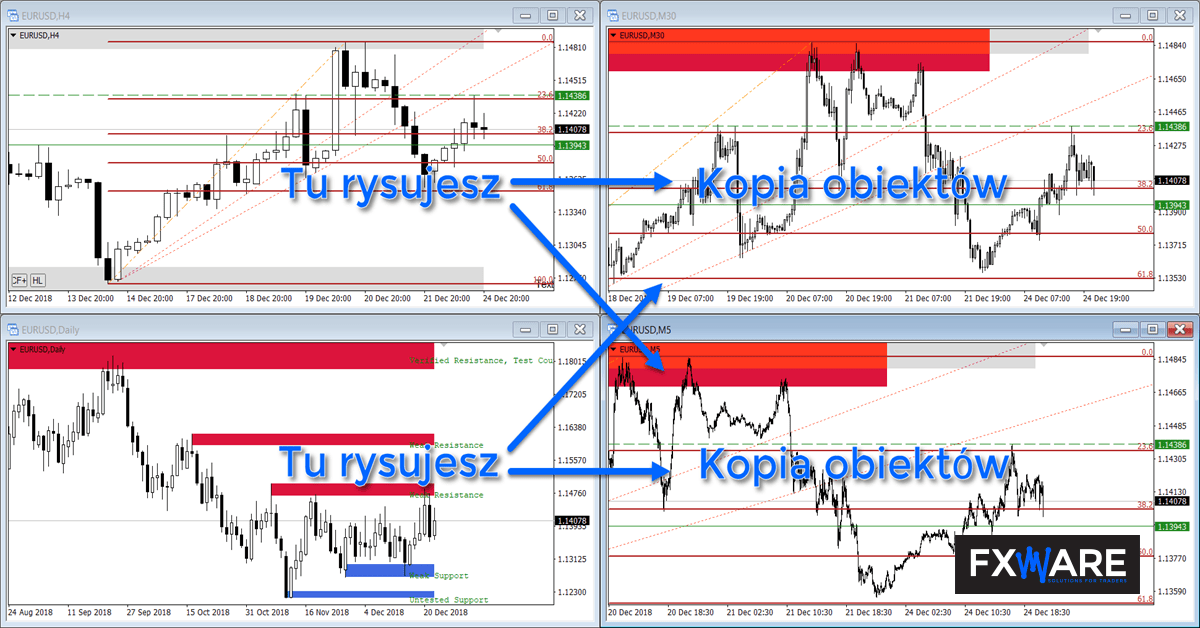
Draw once and use the same labels across several intervals. FXWare Replicator copies objects between charts of the same instrument, so you don’t have to manually recreate Fibonacci levels, zones or patterns every time you change the view.
Less repetition, more scope for analysis
Replicator works in conjunction with a second indicator – Replicator Reader. The former monitors objects on the source chart, whilst the latter replicates them on selected destination charts. You can work in a one-to-one configuration, send objects from one chart to several others, or set up two charts to operate in both directions.
What can you copy?
- horizontal and vertical lines, as well as trend lines,
- rectangles, triangles, channels, Andrews’ forks and ellipses,
- Fibonacci levels and extensions,
- text and arrows.
As well as the object’s position, the Replicator also copies its properties, including its name, colour, thickness, style and custom Fibonacci levels. Name and prefix filters allow you to restrict copying to selected labels, whilst the Reader’s settings determine which object types and intervals are to be visible on a given chart.
What does the work involve, step by step?
- Open at least two charts of the same instrument on different timeframes.
- Add the FXWare Replicator to the source chart and the Replicator Reader to each destination chart.
- In Reader, select the intervals and object types you want to see.
- Draw or edit an object on the source chart. A copy of it will appear on the other configured charts.
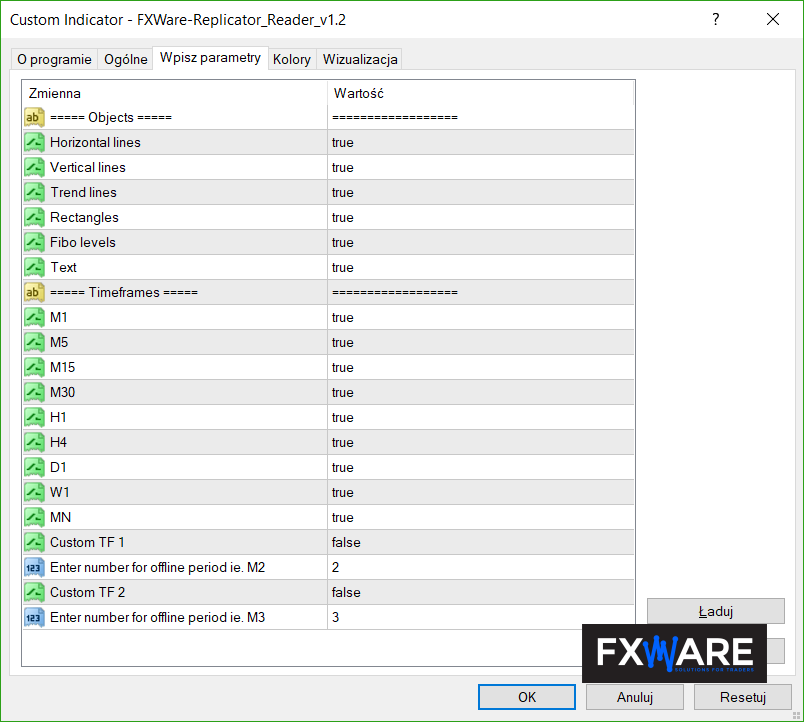
See how it works
This short video demonstrates how to copy objects between charts. The appearance of the settings may differ from the current version, but the process for working with the source and destination charts remains the same.
Requirements and compliance
FXWare Replicator is available for MetaTrader 4 and MetaTrader 5. To run it, you need an active licence and a file FXW_REPLICATOR.key and the option enabled Enable DLL import. It is not necessary to enable automatic trading.
The Replicator copies objects, not transactions
This tool is used to move graphical elements between charts. It does not copy orders or positions, and is not a substitute for account management software.
Organise the analysis across multiple intervals
Go to the product page to view the current FXWare Replicator offer.